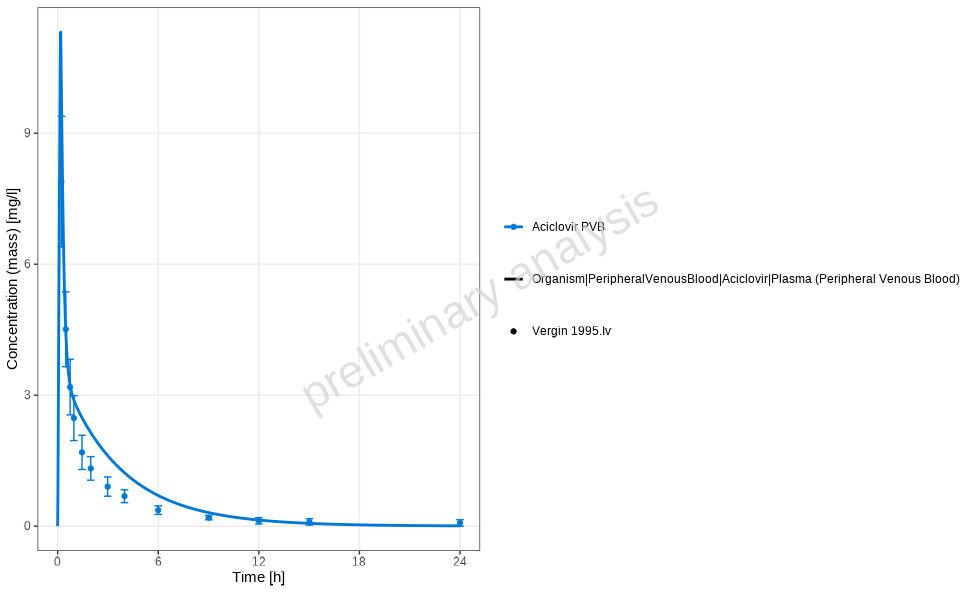
Creates a time profile plot for given data.
This function generates a time profile plot using ggplot2, where the data is grouped by a column named "group".
Usage
plotTimeProfile(
  plotData,
  metaData = NULL,
  mapping = ggplot2::aes(),
  observedMapping = NULL,
  xUnit = NULL,
  yUnit = NULL,
  y2Unit = NULL,
  aggregation = "quantiles",
  quantiles =
    ospsuite.plots::getOspsuite.plots.option(ospsuite.plots::OptionKeys$defaultPercentiles),
  nsd = 1,
  showLegendPerDataset = "all",
  ...
)
Arguments
- plotData
An object of class
DataCombinedor adata.table. If adata.table, it must include the following:xValues: Numeric time points.yValues: Observed or simulated values (numeric).group: Grouping variable (factor or character).name: Name for the dataset (factor or character).xUnit: Unit of the x-axis values (character).yUnit: Unit of the y-axis values (character).dataType: Specifies data type—eitherobservedorsimulated.Optional:
yErrorType: Type of y error, relative toospsuite::DataErrorType.yErrorValues: Numeric error values.yMin,yMax: Custom ranges for y-axis instead of error types.IndividualId: Used for aggregation of simulated population data.
- metaData
A list containing metadata for the plot. If NULL, a default list is constructed from the data. Expected structure includes information about dimensions and units for both x and y axes.
- mapping
A ggplot2 aesthetic mapping object. Default is
ggplot2::aes(). This is added or replaces the default mapping constructed by the data.- observedMapping
A ggplot2 aesthetic mapping for observed data. Default is NULL. Then a copy of mapping without line typical aesthetics like linetype and linewidth is used.
- xUnit
A character string specifying the target unit for the x-axis. If
NULL(default), the most frequent unit in the data is used. For available units, seeospsuite::ospUnits.- yUnit
A character string specifying the target unit for the primary y-axis. If
NULL(default), the most frequent unit in the data is used. For available units, seeospsuite::ospUnits.- y2Unit
A character string specifying the target unit for the secondary y-axis (only applicable when data contains two y-dimensions). If
NULL(default), the most frequent unit in the data is used.- aggregation
The type of the aggregation of simulated data. One of
quantiles(Default),arithmeticorgeometric(full list inospsuite::DataAggregationMethods). Will replaceyValuesby the median, arithmetic or geometric average and add a set of upper and lower bounds (yMinandyMax). It is only applied if the simulated data represents a population.- quantiles
A numerical vector with quantile values (Default:
c(0.05, 0.50, 0.95)) to be plotted. Ignored ifaggregationis notquantiles.- nsd
Optional parameter specifying the number of standard deviations to plot above and below the mean (used for error bars when aggregation is "arithmetic" or "geometric"). Ignored if
aggregationisquantiles.- showLegendPerDataset
Controls display of separate legend entries for individual datasets. One of:
"none": No per-dataset differentiation. Only group-level legend."all"(default): Differentiate both observed (viashape) and simulated (vialinetype)."observed": Differentiate only observed data via different shapes."simulated": Differentiate only simulated data via different line types.
User-provided
mappingandobservedMappingwill override internal settings. A warning is issued if the override removes per-dataset differentiation.- ...
Arguments passed on to
ospsuite.plots::plotTimeProfilexScaleeither 'linear' then
ggplot2::scale_x_continuous()or 'log' thenggplot2::scale_x_log10()is usedxScaleArgslist of arguments passed to
ggplot2::scale_x_continuous()orggplot2::scale_x_log10()yScaleeither 'linear' then
ggplot2::scale_y_continuous()or 'log' thenggplot2::scale_y_log10()is usedyScaleArgslist of arguments passed to
ggplot2::scale_y_continuous()orggplot2::scale_y_log10()y2Scaleeither 'linear' the secondary axis is displayed linear, or 'log' secondary axis is displayed with log scale
y2ScaleArgslist of arguments passed to
ggplot2::sec_axis(), trans, break are set by codeplotObjectAn optional
ggplotobject on which to add the plot layersgeomLineAttributesA
listwith arguments which are passed on to the callggplot2::geom_linegeomRibbonAttributesA
listwith arguments which are passed on to the callggplot2::geom_ribbongeomPointAttributesA
listwith arguments which are passed on to the callggplot2::geom_pointgeomErrorbarAttributesA
listwith arguments which are passed on to the callgeom_errorbar_ospgeomLLOQAttributesA
listwith arguments which are passed on to the callggplot2::geom_hlinegroupAestheticsvector of aesthetics, which are used for columns mapped with
groupby,
Value
A ggplot2 plot object representing the time profile, or NULL
if the data contains no plottable entries.
Details
Automatic Unit Conversion
When using a DataCombined object, the function automatically converts mixed
units to a common unit. The target unit is determined by the most frequently
occurring unit in the observed data (or simulated data if no observed data
exists). Concentration dimensions (Concentration (mass) and Concentration (molar)) are treated as compatible and can be converted between each other
if molecular weight is available.
Mixed Error Types
The function automatically handles data containing different error type specifications:
If all data uses the same error type (
ArithmeticStdDevorGeometricStdDev), it is passed directly to the plotting function.If data contains mixed error types, they are automatically converted to
yMin/yMaxbounds:ArithmeticStdDev:yMin = yValues - yErrorValues,yMax = yValues + yErrorValuesGeometricStdDev:yMin = yValues / yErrorValues,yMax = yValues * yErrorValues
For custom error types (not
ArithmeticStdDevorGeometricStdDev), provide error bounds directly inyMinandyMaxcolumns.
See also
Other plot functions based on ospsuite.plots:
plotPredictedVsObserved(),
plotQuantileQuantilePlot(),
plotResidualsAsHistogram(),
plotResidualsVsCovariate()
Examples
# Generate a time profile plot for the provided data
plotTimeProfile(dataCombinedAciclovir,
xUnit = ospUnits$Time$h,
yUnit = ospUnits$`Concentration [mass]`$`mg/l`)
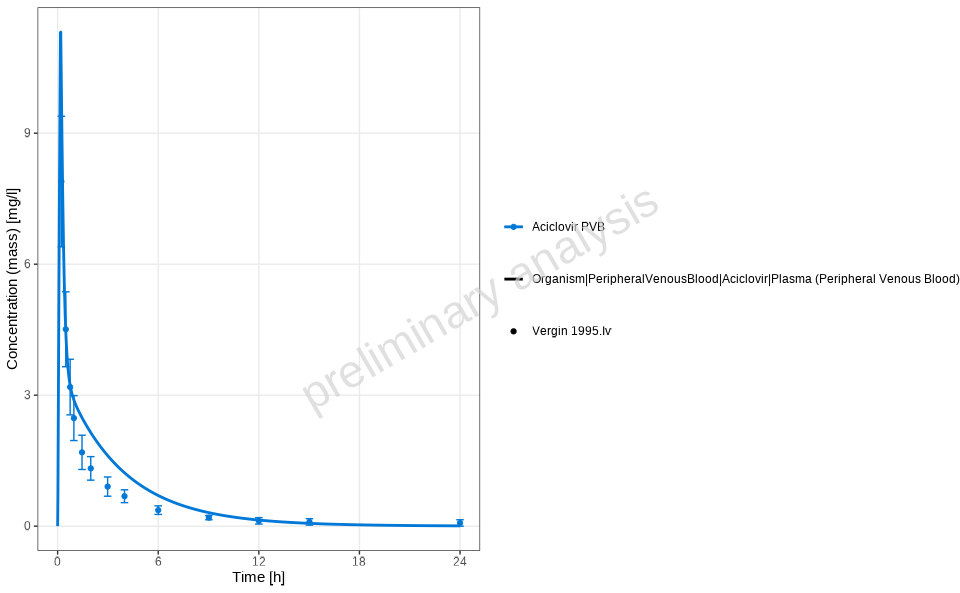 # Show individual dataset names for observed data only
plotTimeProfile(dataCombinedAciclovir, showLegendPerDataset = "observed")
# Show individual dataset names for observed data only
plotTimeProfile(dataCombinedAciclovir, showLegendPerDataset = "observed")
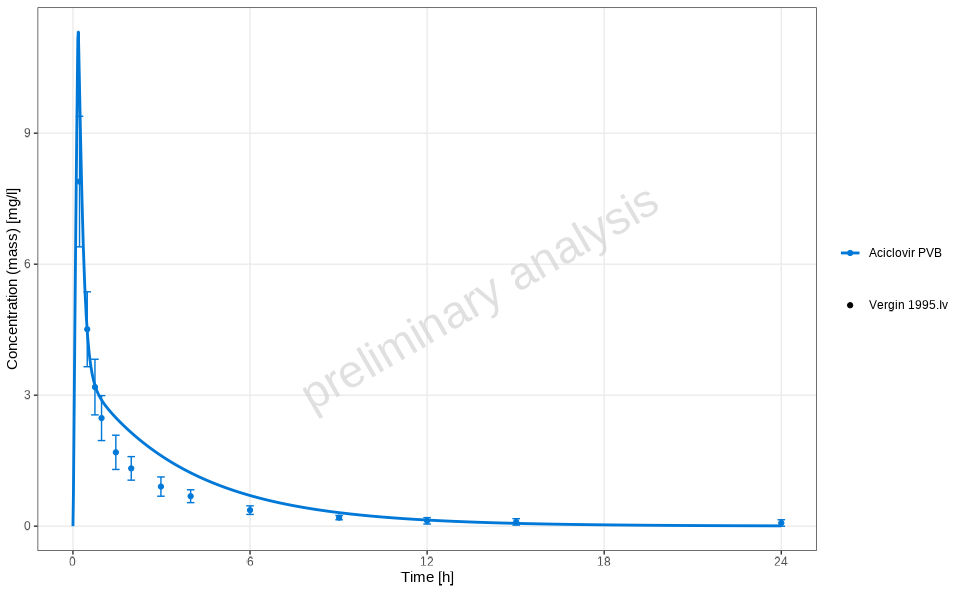 # Show individual dataset names for simulated data only
plotTimeProfile(dataCombinedAciclovir, showLegendPerDataset = "simulated")
# Show individual dataset names for simulated data only
plotTimeProfile(dataCombinedAciclovir, showLegendPerDataset = "simulated")
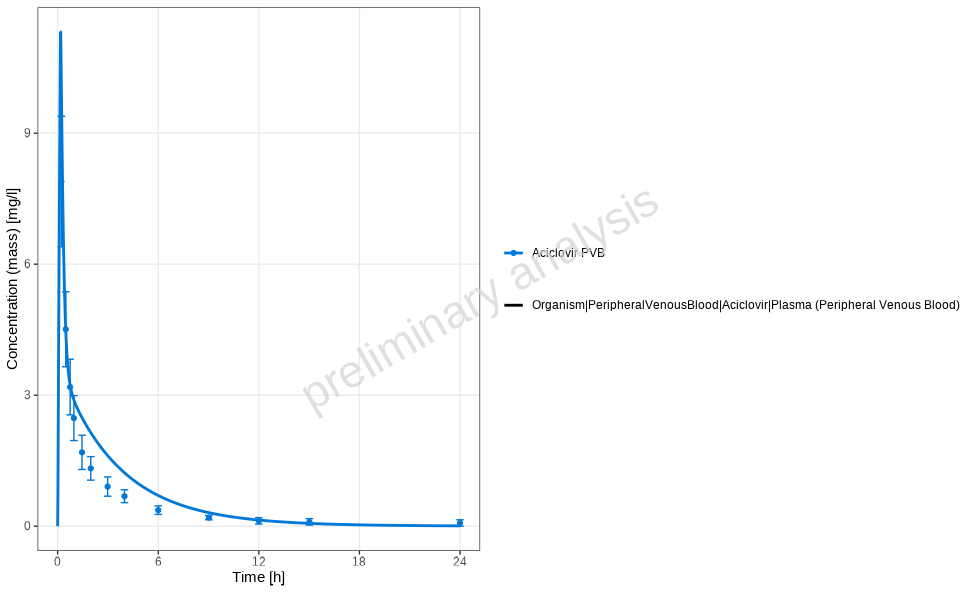 # Show individual dataset names for both observed and simulated
plotTimeProfile(dataCombinedAciclovir, showLegendPerDataset = "all")
# Show individual dataset names for both observed and simulated
plotTimeProfile(dataCombinedAciclovir, showLegendPerDataset = "all")